How to Reduce Manual Data Entry After Inspections
Reduce manual data entry after pool inspections with smarter digital workflows. Learn how to cut inspection admin time, improve accuracy, and get paid faster.
Cutting Down Post-Inspection Admin Time
For many pool inspectors, the inspection itself isn't the longest part of the job. It's everything that comes afterwards.
Typing handwritten notes into a computer. Renaming and sorting photos. Creating reports. Updating customer records. Sending invoices. Filing compliance documents.
These repetitive tasks can easily consume hours every week. They also increase the chance of mistakes that lead to customer disputes, compliance issues, or delayed payments.
Manual data entry doesn't have to be part of your daily routine. Modern inspection software lets inspectors complete the entire workflow digitally, from the first checklist item to the final report, helping them feel more confident and in control of their work.
Here's how reducing inspection admin can make your business more productive, profitable, and professional.
Why Manual Data Entry Slows Down Pool Inspection Businesses
Most pool inspectors entered the industry to inspect pools, not spend evenings completing paperwork.
Yet many businesses still follow a workflow like this:
- Complete inspections using paper forms.
- Take photos on a phone or camera.
- Return to the office.
- Enter inspection results into a computer.
- Match photos to reports.
- Prepare compliance documents.
- Email customers manually.
- Create invoices separately.
Every additional step creates another opportunity for delays or errors.
Even businesses already using digital PDFs often re-enter information into multiple systems because those documents aren't connected to customer records, scheduling, or invoicing.
The Hidden Cost of Double Handling Information
Entering the same information twice may take only a few minutes per job.
Multiply that across:
- Five inspections per day.
- Twenty working days each month.
- Multiple inspectors.
The lost productivity becomes significant.
Double handling data can also result in:
- Incorrect customer information.
- Missing inspection photos.
- Inconsistent reports.
- Forgotten follow-up actions.
- Delayed invoices.
- Poor record-keeping.
For compliance-based industries like pool safety inspections, accurate documentation is essential.
What Digital Inspection Workflows Look Like
Modern pool inspection software captures information once and uses it throughout the entire job lifecycle.
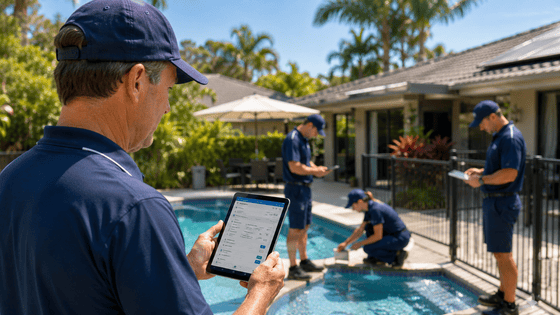
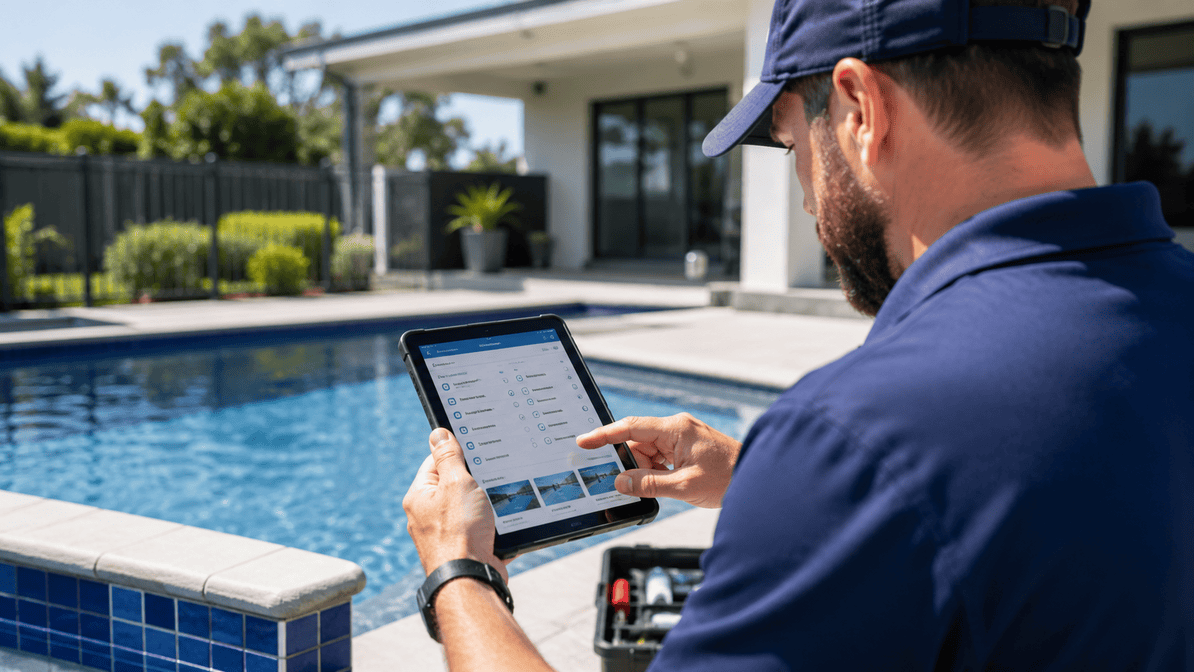
Instead of writing notes on paper and entering them later, inspectors complete digital forms as they walk around the property.
Information automatically flows into:
- Inspection reports.
- Customer records.
- Compliance documentation.
- Job history.
- Office dashboards.
- Invoice preparation.
The result is less inspection admin and more time spent completing billable work.
Capture Everything During the Inspection
The easiest way to eliminate post-inspection administration is to finish the documentation before leaving the property.
Using mobile inspection software allows inspectors to record:
Digital Checklists
Enter inspection results directly into structured digital forms.
No handwriting to interpret later and no duplicate typing.
Photos Linked Automatically
Instead of sorting hundreds of images at the end of the day, inspectors attach photos directly to the inspection record when they capture them.
This creates stronger evidence and saves considerable administrative time.
Notes and Observations
Voice-to-text or digital note fields let inspectors document findings immediately while details are fresh.
Customer Signatures
Clients can sign digitally on-site, removing the need to print, scan, or chase paperwork later.
Generate Professional Reports Automatically
Manual report creation often takes longer than the inspection itself.
Digital software dramatically simplifies this process.
Once the inspection is complete, the software can generate reports automatically using the information already collected.
This provides several benefits:
- Consistent formatting;
- Faster report delivery;
- Fewer typing errors;
- Better presentation;
- Professional branding; and
- Improved customer experience.
Customers appreciate receiving reports quickly, particularly when property settlements or compliance deadlines are involved.
Connect Your Entire Workflow
One of the biggest benefits of pool software is eliminating disconnected systems.
Instead of using separate tools for inspections, customer records, scheduling, invoicing, and document storage, everything works together, giving inspectors and managers confidence in data accuracy and system reliability.
For example:
- A job is scheduled.
- The inspector receives the job on their mobile device.
- Inspection results are completed digitally.
- Photos are attached automatically.
- Reports are generated instantly.
- The customer receives documentation.
- An invoice is created without re-entering job information.
Each stage uses the same data, reducing administrative work throughout the process.
Improve Accuracy While Saving Time
Reducing manual data entry isn't only about speed.
It also improves data quality.
Digital forms can include:
- Mandatory fields;
- Validation rules;
- Dropdown selections;
- Standardised responses; and
- Automated calculations.
These features reduce information gaps and create more consistent inspection records across all inspectors.
That consistency becomes especially valuable when responding to customer questions or demonstrating compliance.
A Real-World Example
Imagine an inspector completes six pool barrier inspections during a busy day.
Using paper forms, the evening might involve:
- Typing handwritten notes.
- Uploading dozens of photos.
- Creating reports.
- Emailing customers.
- Preparing invoices.
This could easily require another two hours in the office.
Now imagine completing those same inspections using integrated inspection software.
Each report is largely complete before leaving the property. Photos are already organised. Customer signatures are captured. Reports are generated automatically. Office staff can access the completed inspection immediately.
Those two hours become available for additional inspections, customer service, or simply finishing work earlier.
How Formitize Helps Reduce Inspection Admin
The Pool Inspector App, powered by Formitize, removes unnecessary administration from every inspection.
Instead of relying on disconnected paperwork and manual processes, inspectors can manage the entire workflow from one platform.
Key capabilities include:
- Digital inspection forms.
- Mobile data capture.
- Automatic photo attachment.
- Customer signatures.
- Instant report generation.
- Job scheduling.
- CRM integration.
- Document management.
- Automated invoicing.
- Cloud-based record storage.
Because businesses enter information once and share it across the platform, they spend far less time on repetitive administrative tasks.
The result is faster reporting, better compliance, improved customer service, and more productive inspectors.
The Bottom Line
Every minute spent entering the same information twice is time you could spend completing inspections, serving customers, or growing your business.
Reducing manual data entry doesn't require working harder. It requires working smarter with digital tools that streamline the entire inspection process.
By replacing paper forms and disconnected systems with an integrated inspection platform, pool inspectors can reduce inspection admin, improve accuracy, deliver reports faster, and enjoy the many benefits of a truly connected workflow.
Start Spending Less Time on Admin
If you're ready to spend less time behind a desk and more time completing inspections, the Pool Inspector App can help streamline your entire workflow.